
Hafilat Balance Check 2026: 5 Easy Ways to Check Your Balance
There’s nothing worse than tapping your Hafilat card as you board a bus and getting hit with a red light because your balance ran out. It’s happened to enough commuters in Abu Dhabi that it’s worth building the habit of checking your balance before you travel, not after.
The good news is checking your Hafilat balance takes seconds and works whether you’re online, offline, at a station, or already on the bus. This guide covers every official method to check your balance in 2026, how to recharge once you know you’re running low, and what to do if your card isn’t reading correctly.
What Is the Hafilat Card and Why Check Your Balance
The Hafilat card is Abu Dhabi’s official contactless smart card for public transport, used across city buses, intercity routes connecting Abu Dhabi, Al Ain, and the Al Dhafra region, and other transit services under the Abu Dhabi Mobility (ITC) network and the Darb platform. It stores prepaid travel credit electronically, so instead of carrying cash or coins for every trip, you simply tap the card against the validator when boarding and again when exiting.
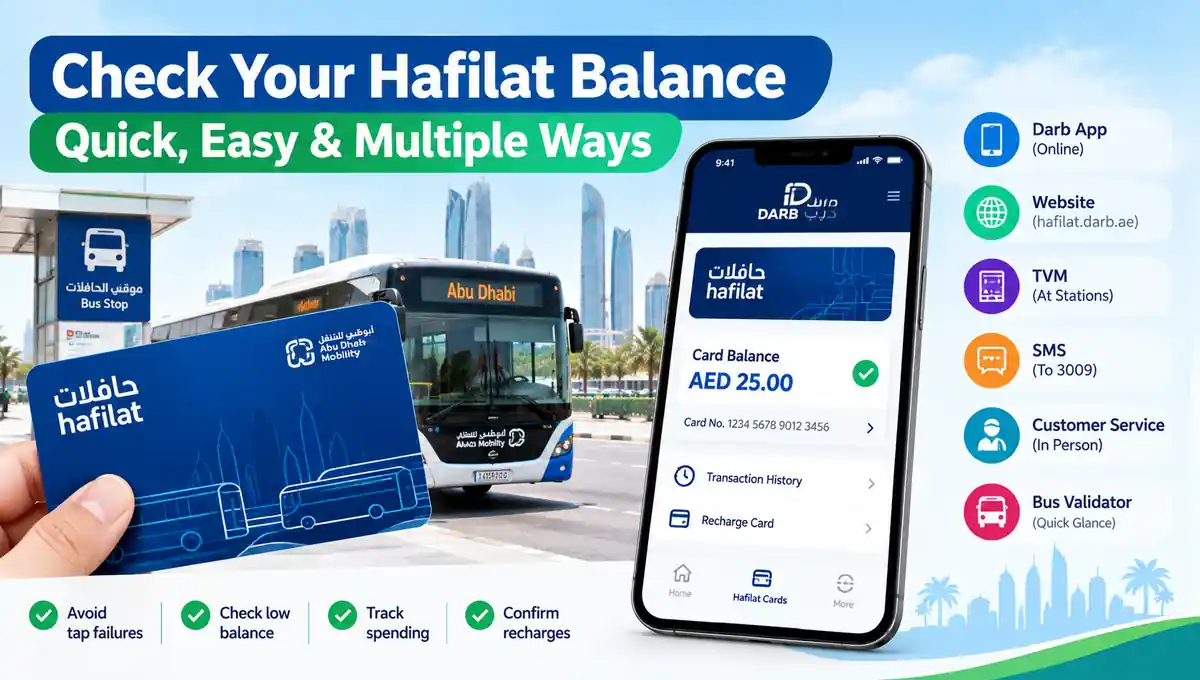
Why checking your balance regularly actually matters:
- You avoid an embarrassing tap failure. A red light on the validator, right as you’re trying to board, is the exact scenario this habit prevents.
- You catch a low balance before you’re stuck. Once you’re at the bus door with no signal and no balance, your options are limited.
- You track your travel spending. Regular balance checks double as a way to see how much you’re actually spending on transit each month.
- You confirm a recharge actually went through. Especially with online top-ups, which can take time to reflect on the card.
- You catch card issues early. A card that suddenly won’t read, or shows an unexpectedly low balance, is easier to resolve before you’re relying on it for an urgent trip.
What You Need to Check Your Balance
Depending on the method you choose, you’ll need one or more of the following:
- Your Hafilat card, physically, for offline methods like TVMs and customer service counters.
- Your card’s serial or 16-digit card number, printed on the back of the card, for online methods.
- A Darb account, if using the app or website, registered with your email, Emirates ID, and traffic code number for full account access.
- A mobile phone with SMS capability, if you prefer the text-message method.
Tip: Anonymous, unregistered cards can usually still be checked at a TVM or customer service counter using just the physical card — you don’t need a linked account for those two methods.
Hafilat Balance Check Methods 2026
There are five main ways to check your Hafilat balance: the Darb app, the hafilat.darb.ae website, Ticket Vending Machines, SMS, and in person at a customer service center. A sixth option — the bus validator — gives you a quick glance at your balance the moment you tap in.
Online Methods
- Darb mobile app
- hafilat.darb.ae website
Offline Methods
- Ticket Vending Machines (TVM) at stations
- SMS to 3009
- Customer service center
- Bus validator (quick glance while boarding)
How to Check Your Balance via the Darb App
This is the most convenient option if you commute regularly and want real-time tracking.
Step 1: Download the Darb App
Get Darb Abu Dhabi from the App Store or Google Play Store.
Step 2: Sign Up or Log In
Create an account or log in using your mobile number and email address.
Step 3: Link Your Hafilat Card
- Navigate to the Hafilat Cards section from the home screen.
- Select “Link a Card” and enter the 16-digit serial number printed on the back of your card.
- Confirm the card details.
Step 4: View Your Balance
Select your linked card to view your current balance, expiry date, and recent transaction history instantly.
Why this matters: The app also lets you see your full transaction history, which is useful if you want to track exactly where your travel spending is going each month.
How to Check Your Balance on hafilat.darb.ae
Best if you’d rather not install an app, or you’re checking from a desktop.
Step 1: Go to the Official Portal
Open your browser and go to hafilat.darb.ae, or access it through the broader Darb website under the Public Transport section.
Step 2: Create an Account or Log In
If it’s your first time, register using your email address, Emirates ID, and traffic code number, and set a secure password.
Step 3: Navigate to Hafilat Cards
Once logged in, locate the main menu and select the Public Transport section, then find the Hafilat Cards option.
Step 4: Select “Recharge Card”
Despite the name, this section also displays your current balance — enter your card serial number if prompted, and your balance appears instantly.
Why this matters: As of 2026, Abu Dhabi Mobility has fully integrated Hafilat with the Darb platform, so this same login also gives you access to tolling and other transport services under one account.
How to Check Your Balance at a Ticket Vending Machine (TVM)
Best if you’re already at a bus station and want a quick, no-login check.
Step 1: Locate a TVM
Look for Ticket Vending Machines at major bus stations, transport terminals, or near bus entry points, waiting areas, or route information boards.
Step 2: Wake Up the Machine
Touch the screen or press any key, then choose your preferred language, usually English or Arabic.
Step 3: Tap or Insert Your Card
Place your Hafilat card on the scanner, or insert it into the designated slot depending on the machine model.
Step 4: Select “Balance Inquiry”
Choose this option from the on-screen menu.
Step 5: View Your Result
Your current balance and card expiration date appear on the screen, with a printed receipt available if you want one.
Why this matters: TVMs also let you recharge immediately if your balance is low, so you can top up on the spot without needing your phone or an internet connection.
How to Check Your Balance by SMS
Fastest option if you have no data or don’t want to open an app.
Step 1: Open Your Messaging App
Step 2: Send Your Card Number
Text BAL followed by your 16-digit card number to 3009.
Step 3: Receive Your Result
You’ll get a reply text with your current balance and expiry date within moments.
Why this matters: This works from any basic phone, making it a reliable backup if you’re somewhere without a signal strong enough for data.
How to Check Your Balance at a Customer Service Center
Best if you want a human to confirm your balance or help resolve a card issue at the same time.
Step 1: Visit a Hafilat Customer Service Counter
Common locations include ITC Headquarters, Abu Dhabi Central Bus Station, Al Ain Bus Terminal, and Abu Dhabi Airport.
Step 2: Bring Your Physical Card
Anonymous cardholders usually only need to bring the card itself; registered cardholders may also want ID on hand.
Step 3: Ask Staff to Check Your Balance
They can read your balance directly and, if needed, top it up or help with card errors, replacements, or low balance questions on the spot.
Why this matters: This is your best option if your card is showing an unusually low balance you don’t recognize, or if you suspect a problem beyond a simple top-up.
How to Check Your Balance on the Bus Validator
Step 1: Board the Bus
Enter through the front door where the validator machine is installed.
Step 2: Tap Your Card
Place your card on the validator reader.
Step 3: Glance at the Display
Most validators briefly show your remaining balance on-screen right after a successful tap.
Why this matters: This isn’t a substitute for checking ahead of time, but it’s a useful last confirmation right as you board, especially on a route where you know your balance was already close to empty.
Comparison Table: Choosing the Best Method
| Method | Login Required | Speed | Best For | Notes |
|---|---|---|---|---|
| Darb App | Yes | Instant | Regular commuters | Shows full transaction history |
| hafilat.darb.ae | Yes | Instant | Desktop users | Same account covers tolling too |
| Ticket Vending Machine | No | Instant | Anonymous or registered cards | Allows immediate top-up |
| SMS to 3009 | No | Under 1 minute | No data or app access | Works on any basic phone |
| Customer Service Center | No | A few minutes | Card issues, human help | Can resolve errors on the spot |
| Bus Validator | No | Instant | Quick glance while boarding | Not a planning tool, just a confirmation |
So, the Darb app is the best method overall for regular commuters, since it combines instant balance checks with full transaction history and recharge in one place. If you just need a quick one-time check without an account, a Ticket Vending Machine or SMS works just as fast.
How to Recharge Your Hafilat Card
Step 1: Choose Your Recharge Method
Use the Darb app, hafilat.darb.ae, a Ticket Vending Machine, or a retail partner outlet.
Step 2: Enter Your Card Details
For online recharge, enter the 10 or 16-digit serial number printed on the back of your Hafilat card.
Step 3: Select an Amount
Online top-ups are typically bound by a minimum of AED 10 and a maximum of AED 150 per transaction.
Step 4: Complete Payment
Pay using Apple Pay, Samsung Pay, or any debit or credit card.
Tip: After an online recharge, it can take 15 to 30 minutes for the new balance to reflect on the card reader. Recharge at least an hour before your journey if you’re relying on the top-up for that trip.
Understanding Fares and Free Transfers
How Fares Are Calculated
Abu Dhabi bus fares are calculated based on distance and the type of service you’re using. You must tap in when boarding and tap out when exiting to ensure the correct fare is deducted.
Free Transfers
Transfers between buses are free within 60 minutes, provided you don’t switch to a different type of service — for example, moving between two local city routes generally qualifies, while switching to an intercity service may not.
Why this matters: Forgetting to tap out at the end of a trip can result in the maximum fare being deducted instead of the actual distance traveled, which drains your balance faster than expected.
Fixing Common Problems
Card shows insufficient balance but you just recharged online Wait 15 to 30 minutes for the top-up to sync to the card reader before assuming something went wrong.
Card won’t read at all on the validator Try wiping the card and the reader surface, and attempt the tap again. If it still fails, visit a customer service center — the card itself may be damaged or need replacement.
Balance seems lower than expected Check your recent transaction history through the Darb app or website. A missed tap-out on a previous trip often results in a higher-than-expected fare deduction.
Card became inactive after long non-use Prepaid cards don’t expire with regular use but can go inactive after an extended period without use. Visit a customer service center to reactivate it.
Lost or damaged card Report it and request a replacement at a customer service center — bring ID if the card was registered to your account, since an anonymous card generally can’t be recovered if lost.
Tips for Managing Your Hafilat Balance
Check your balance before you travel, not after. A quick check via the app or SMS takes seconds and avoids the awkward moment of a failed tap at the bus door.
Recharge at least an hour before you need to travel. Online top-ups can take 15 to 30 minutes to reflect on the card, so don’t cut it too close.
Always tap out, even if you think the driver won’t check. Skipping the tap-out means you’re charged the maximum possible fare instead of the actual distance traveled.
Link your card to the Darb app if you commute regularly. It gives you the fastest path to both balance checks and transaction history in one place.
Keep a TVM receipt if you top up in person. It’s useful proof if there’s ever a dispute about whether a recharge went through.
Don’t rely solely on the bus validator display to plan your trips. It’s a quick confirmation, not a substitute for checking your balance before you leave home.
If your card has gone unused for a long time, check it before relying on it. Inactive cards may need reactivation at a customer service center before they’ll work again.
Understand the 60-minute free transfer window. Planning your route around it can save you money if you’re making a multi-leg trip on local buses.
FAQs
How do I check my Hafilat card balance? Check it through the Darb app, on hafilat.darb.ae, at a Ticket Vending Machine, by texting BAL plus your card number to 3009, or at a customer service center.
How do I check my Hafilat balance without an app? Use a Ticket Vending Machine at any major bus station, or send an SMS with your card number to 3009 — neither requires an account or app.
What is the SMS number to check Hafilat balance? Send BAL followed by your 16-digit card number to 3009.
How long does it take for an online recharge to reflect on my card? Typically 15 to 30 minutes. It’s best to recharge at least an hour before you plan to travel.
What’s the minimum and maximum amount I can recharge online? Online top-ups are generally bound by a minimum of AED 10 and a maximum of AED 150 per transaction.
Can I check my Hafilat balance without registering my card? Yes, anonymous cardholders can check their balance at a Ticket Vending Machine or customer service counter using just the physical card.
Why does my card show a lower balance than I expected? This is often caused by a missed tap-out on a previous trip, which results in the maximum fare being charged instead of the actual distance traveled.
Are transfers between buses free? Yes, transfers are free within 60 minutes, as long as you don’t switch to a different type of service.
What happens if my Hafilat card becomes inactive? Prepaid cards can go inactive after long periods of non-use. Visit a customer service center to have it reactivated.
What do I do if my card won’t read on the validator? Try cleaning the card and the reader surface and tap again. If the issue persists, visit a customer service center, since the card may need replacement.
Is checking my Hafilat balance free? Yes, checking your balance through the app, website, TVM, SMS, or customer service is free of charge.
Can I use the Hafilat card on intercity buses, not just within Abu Dhabi city? Yes, the same card works on intercity routes connecting Abu Dhabi, Al Ain, and the Al Dhafra region, under the same balance-check and recharge methods.
Final Thoughts
Checking your Hafilat balance really is a quick habit once you know your preferred method, and it’s the difference between a smooth commute and getting stuck at the bus door with a red light. If you travel regularly, linking your card to the Darb app gives you the fastest way to stay on top of both your balance and your recent transactions.
If you’d rather not deal with an app, a Ticket Vending Machine or a quick SMS to 3009 does the job just as well. Either way, make it a habit to check before you leave, not after you’re already at the validator.