
E-Commerce Sellers and the Product Feed Row That Keeps Failing
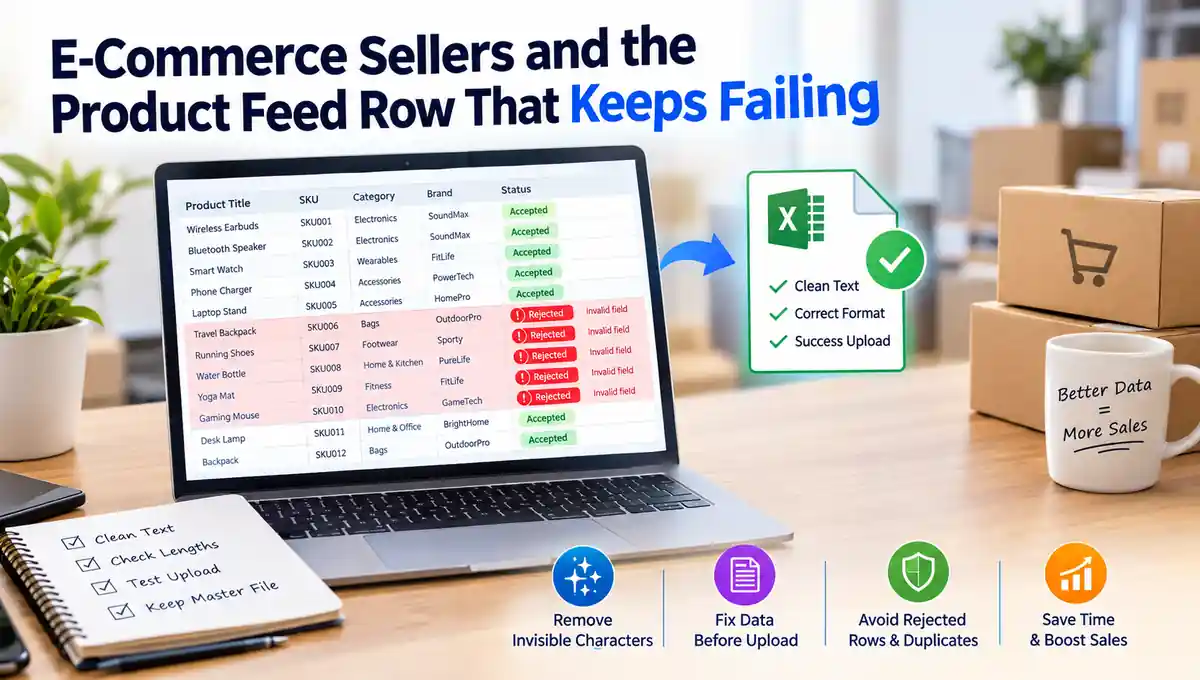
A seller uploads a spreadsheet of two hundred products to a marketplace. The system accepts most rows and rejects eleven with an error that says a field is invalid. The rejected rows look identical to the accepted ones.
Sellers often lose hours to this kind of problem, and the cause is frequently invisible. Titles and descriptions drafted with an AI assistant can carry characters that no one can see but that a validation system reads very literally.
Why Product Data Is Unforgiving
Marketplaces and storefront platforms import products through feeds, spreadsheets, and application programming interfaces, and each import is checked against rules. Titles have length limits, identifiers must match a pattern, and attribute values often have to come from an approved list. The checks compare characters mechanically, with no allowance for what a person would consider close enough.
A product type that reads as an approved value to a human may fail to match the list because of a single invisible character inside it. The seller sees an apparent match and the system sees a different string.
Fields Most Likely to Be Affected
- Titles, where character limits and keyword matching are enforced strictly.
- SKUs and identifiers, which must match inventory records exactly.
- Category and attribute values that are validated against fixed lists.
- Brand names, which are often matched against a registry.
The Variant Problem
Variants make the problem worse. A product sold in several sizes and colors may carry the same base title across many rows. If a hidden character sits in the shared title, every variant inherits it, and a single import can generate dozens of failures that all trace back to one pasted line.
Hidden Costs Beyond the Error Message
Rejected rows are the visible cost. Quieter ones follow. A title with a hidden character can fail to match search queries even when it is accepted. A SKU that looks the same as an inventory record may fail to link, causing stock counts to drift. Duplicate listings can appear when the system treats two nearly identical titles as different products.
Because none of these symptoms points to text quality, sellers tend to look for causes in settings, integrations, or the marketplace itself before checking the characters.
Cleaning Before Upload
The practical fix is to clean the data before it enters the feed. An AI watermark remover strips invisible Unicode characters and normalizes spacing in titles and descriptions while leaving the visible text untouched, so the file contains only what the seller intended.
On Phrasly’s free plan the tool handles up to 500 words per request with unlimited quality checking, and paid plans raise that to 5,000 words at a time. For a large catalog, splitting the file into batches by column works well.
A Pre-Upload Routine
Sellers who upload regularly benefit from a short, fixed routine. It adds only minutes and removes much of the guesswork from failed imports.
- Clean any text drafted or reformatted with an assistant.
- Compare visible title lengths with reported lengths on a sample.
- Run a small test upload before the full file.
- Keep the cleaned master file as the only source for future edits.
Keeping Master Data Clean Over Time
The most valuable step is to clean the master catalog once and treat it as the source of truth. Every later export, whether to one marketplace or five, then starts from reliable data. Sellers who skip this and clean each export separately repeat the work and risk reintroducing the problem.
Teams with several people editing the catalog should agree where cleanup happens. A line in the editing guide, such as clean any text that came from a chat tool before adding it to the master sheet, is usually enough.
A Worked Example
Consider a seller with a catalog of three hundred products who drafts titles and descriptions with an assistant and pastes them into a spreadsheet. On upload, the marketplace rejects thirty rows. The seller retypes several titles by hand, the rows succeed, and the cause is attributed to a glitch. The next upload fails on a different set of rows.
The pattern only becomes clear when someone compares the reported length of a failing title with its visible length and finds a difference of one or two characters. At that point the fix is obvious: clean the text in bulk, and the failures stop. The earlier hours of manual retyping were avoidable.
Working With Multiple Marketplaces
Sellers who list on several marketplaces export the same catalog in different formats. Each export is validated by different rules, so a hidden character may cause a failure on one platform and go unnoticed on another. That inconsistency makes the cause harder to spot, because the same data seems to work in one place and fail in another.
- Clean the master catalog before creating any export.
- Keep one cleaned source for every marketplace.
- Record which platform rejected which rows, since patterns often point to specific fields.
- Retest a small sample on each platform after large changes.
Drafting Product Content Responsibly
Assistants are useful for first drafts of descriptions, but they can invent details such as materials, dimensions, or compatibility. Every factual claim in a listing should be checked against the supplier’s information before it is published. A wrong detail causes returns and complaints, which cost far more than any formatting issue.
Sellers should also read each description for rhythm and brand voice. Listings that all sound alike blend into the results page, and a few distinctive lines about how a product is made or used help it stand out.
Training Part-Time Staff and Contractors
Many sellers rely on part-time helpers to enter and update products. A one-page guide that explains the cleanup step, shows where the master file lives, and lists the usual symptoms of contaminated text gets new helpers productive quickly and prevents the same problem from returning each time someone new joins.
- Explain why the step exists in one or two sentences.
- Show how to compare visible and reported lengths.
- Point to the single master file and discourage side copies.
Checking Results After Upload
After a large upload, a short verification confirms that the cleanup worked. Search the storefront for a few exact titles, open a handful of variants to confirm they are grouped correctly, and check that inventory counts match the spreadsheet. Any mismatch points to a field worth inspecting, and catching it early avoids customer-facing errors.
Sellers who keep a short list of products to spot-check after every import tend to catch problems within minutes, which is far cheaper than discovering them through a customer complaint or a sudden drop in sales for one product line.
Over a few months, sellers who keep this routine usually notice fewer failed uploads, fewer support tickets to the marketplace, and less time spent on manual corrections, which frees them to focus on sourcing, pricing, and customer service.
Product feeds reward exact data. A short cleanup step before upload prevents rejected rows, mismatched variants, and phantom duplicates, and it saves the time sellers would otherwise spend hunting for errors that cannot be seen.