Hafilat Card Balance Check Online 2026
You are standing at a bus stop in Abu Dhabi, the bus is coming, and you have no idea how much money is left on your bus card. A Hafilat balance check takes less than a minute — and it is the difference between tapping in smoothly and being refused by the validator with a queue behind you. Because Abu Dhabi buses are cashless, your Hafilat card is the only way to pay, and a card with insufficient balance simply will not let you travel.
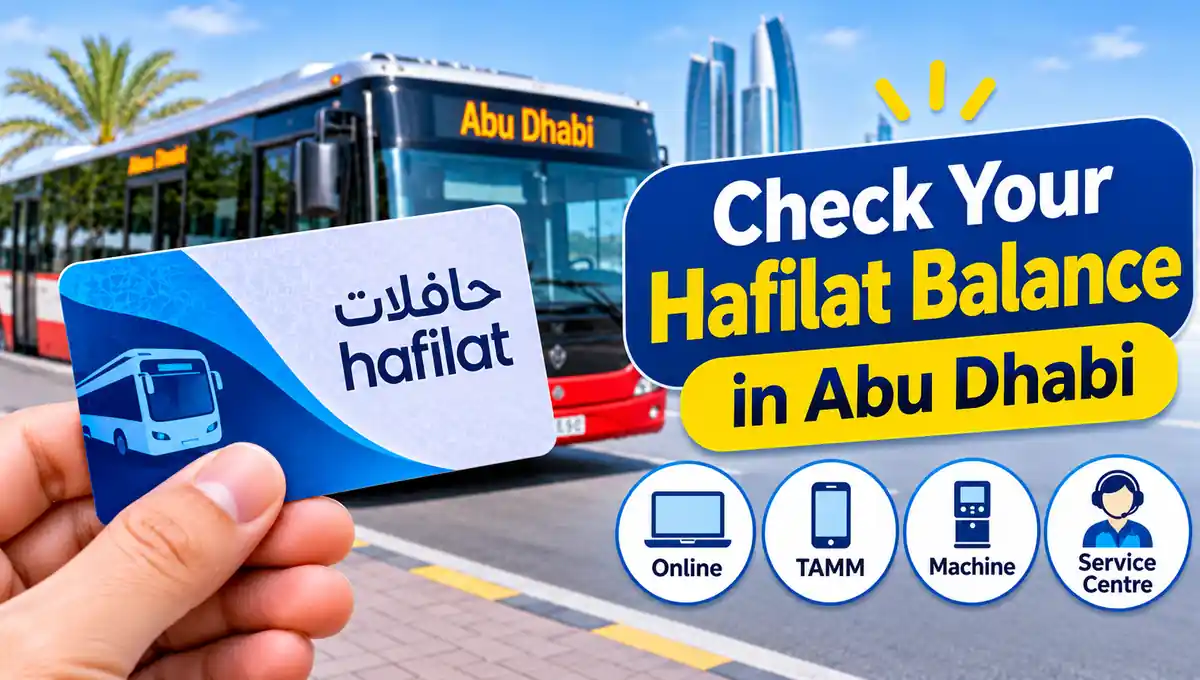
This guide shows you every working way to check your Hafilat card balance in 2026: online on the official Hafilat portal, through TAMM, the Abu Dhabi government services platform, at ticket vending and recharge machines, and at Customer Happiness Centres — plus how to read your balance correctly, why an online recharge may show as pending balance, how long balance stays valid, and what minimum you need before boarding.
What Is a Hafilat Card and Why Does Your Balance Matter?
Hafilat — from the Arabic for “buses” — is the rechargeable contactless smart card launched in 2015 to replace cash fares on Abu Dhabi’s public bus network. You load money into the card’s electronic purse, called the T-Purse, and the fare is deducted automatically when you tap the card on the validator as you board — and, on regional and intercity services, again when you tap out, so the distance-based part of the fare is calculated correctly.
There are several card types. The Contactless Smart Ticket (CST) is a temporary ticket valid for 30 days, suited to a short visit. The Anonymous Hafilat card costs AED 10, needs no ID, and is valid for five years — the standard choice for tourists and occasional riders.
The Personalised Hafilat card is linked to your Emirates ID and issued at Customer Happiness Centres; because it is registered to you, its balance can be protected and transferred if the card is lost or damaged, which an anonymous card cannot offer. Concession cards for students, senior citizens and People of Determination cost AED 5 and carry discounted or free travel entitlements.
Your balance matters because the system is strict: if the balance is below the fare for your journey, the validator rejects the tap. There is no cash alternative on board and no “pay later”. Travelling without a validated fare is a fare violation punishable with a fine of AED 200 — a hundred times the price of the city ride you were trying to take. Checking before you travel is simply the cheapest habit in Abu Dhabi public transport.
Method 1: Hafilat Balance Check Online at hafilat.darb.ae
The official Hafilat portal is the most direct balance check, and it works on any phone or computer browser without an account:
Step 1: Go to hafilat.darb.ae — type the address yourself and confirm you are on the official Darb domain.
Step 2: Choose the Recharge Card service. On Hafilat, the balance inquiry and recharge flow are the same door: the portal reads your card before it offers you a top-up.
Step 3: Enter the card serial number printed on the back of your Hafilat card, exactly as shown, and confirm.
Step 4: Read your card details. The portal displays your current available balance in AED, your card type and its expiry, and any amount connected with your recent recharge activity.
Step 5: Decide from what you see. If the balance covers your planned travel, you are done. If it is low, you can continue in the same session to recharge, or use one of the other recharge channels explained in our Hafilat recharge guide.
Two things confuse people in this screen. First, an amount you recharged online very recently may not yet appear in the available balance — online recharges take around two hours to be ready, and they then sit as a pending amount until the card is used. Second, the portal shows what the central system knows; a machine that physically reads the chip in your card is always the final word on what is stored on the card itself.
Method 2: Check Your Balance on TAMM
TAMM is the Abu Dhabi Government’s unified services platform, and Hafilat services — including card recharge and card information — are delivered through it, signed in with UAE PASS, the UAE’s national digital identity.
Open tamm.abudhabi or the TAMM app, sign in with UAE PASS, and search for the Hafilat public transport card services — the recharge service is listed as “Recharge of the Hafilat card” / “Top up Public Transport Card ‘Hafilat'”.
Entering your card serial number in the service flow shows the card and its balance position as part of the process, before you choose any top-up amount. TAMM is the right route if you already manage other Abu Dhabi government services — driving, housing, utilities — under the same UAE PASS login, because your Hafilat activity sits inside the same official account rather than on a stand-alone site.
Note the names carefully: the Darb platform and the older Darbi app names appear in many old guides, but Darb today is principally Abu Dhabi’s toll gate system, and older app versions may no longer show Hafilat services. If an app you installed long ago does not offer your card, do not fight it — use the Hafilat portal or TAMM, which are the current official channels.
Method 3: Check Your Balance at a Ticket Vending or Recharge Machine
The fastest offline check — and the most accurate, because it reads the card itself — is a machine:
Visit any Abu Dhabi bus station, such as the central bus station in Al Wahda, or a major bus stop with machines, and tap or insert your Hafilat card on a Ticket Vending Machine (TVM), sales and recharge machine, or Banknote Reloader. The screen displays the balance stored on the card, your active pass if you have one, and its validity.
From the same screen you can recharge immediately in cash or by card, and a machine recharge is loaded instantly — there is no two-hour wait and no pending amount to activate later.
This is also the machine to use when an online balance looks wrong. Tapping the card on a machine syncs and activates a pending online recharge: if you topped up online hours ago and your balance has not moved, one tap on a recharge machine or travelling on a bus is normally what pushes the pending amount onto the card.
Method 4: Customer Happiness Centres and on the Bus
At an Abu Dhabi Mobility Customer Happiness Centre, staff can read your card, confirm its balance and pass status, and resolve problems a machine cannot — a damaged chip, or a balance transfer from a lost personalised card; bring your Emirates ID if your card is personalised. On the bus, watch the validator screen when you tap in: it confirms your trip’s deduction, and glancing at it regularly is how experienced riders catch a falling balance days before a refused tap.
Available Balance vs Pending Balance: Why the Numbers Differ
This is the single most searched Hafilat problem, so here is the rule set in one place. When you recharge online — on the Hafilat portal, TAMM, or another approved online channel — your payment is taken immediately, but the value is delivered to your card as a pending recharge.
It typically becomes ready within about two hours, and you must activate it within three months of the recharge date by travelling with the card or tapping it on a sales or recharge machine. Until activation, a balance check may show your old available balance, the pending amount separately, or — if you check in the first minutes — no change at all.
Three corollaries follow. Recharge before you need it: a top-up made as your bus arrives will not save you; one made the night before will. Never let a pending recharge age: an amount never activated within its three-month window can be lost, and recovering it means a support case, not a tap.
Keep your payment receipt and reference for every online recharge until the money is visibly on the card; that reference is what Abu Dhabi Mobility support will ask for if anything goes wrong.
There is also a hard ceiling: the maximum balance a Hafilat card can hold is AED 150. If your balance plus a new recharge would exceed AED 150, the excess cannot be loaded — spend the balance down first, or, if you ride daily, put the money into a pass instead of the T-Purse.
How Much Balance Do You Need? Fares and Passes in Context
A balance check is only useful if you know what the number buys you. A local city bus trip costs AED 2. Regional services — longer routes within the emirate, for example to suburbs and industrial areas — cost AED 2 plus 5 fils per kilometre, calculated from your tap-in and tap-out. Express and intercity services cost AED 2 plus 10 fils per kilometre.
Airport and long intercity journeys therefore need a visibly higher balance than a city hop, and you must tap out on distance services, or the system cannot close your trip correctly.
If your balance is repeatedly draining, compare it with a pass loaded on a personalised card: a Weekly Pass costs AED 30 for 7 days of unlimited city bus travel, a Monthly Pass costs AED 80 for 30 days, a Student Pass costs AED 500 per year, and eligible senior citizens and People of Determination travel free with their concession passes. For a commuter making two city trips a day, the monthly pass replaces roughly AED 120 of T-Purse spending — the balance check screen is where you will see that maths most clearly.
One boundary to remember: Hafilat works only in the Emirate of Abu Dhabi — Abu Dhabi City, Al Ain and Al Dhafra. It is not accepted in Dubai, where buses and the Metro use the nol card, or in Sharjah, which uses its own system. A healthy Hafilat balance will not move you one stop outside the emirate’s network.
Troubleshooting: Balance Not Showing, Wrong, or Card Rejected
My online recharge is not in my balance. Wait until two hours have passed, then tap the card on a machine or travel to activate it. Still missing? Check that the payment actually completed and that you entered the correct card serial number, keep your receipt, and contact Abu Dhabi Mobility support with the transaction reference.
The portal and a machine show different amounts. Trust the machine’s reading of the card for travelling, and treat the difference as an unactivated pending recharge until a tap syncs the two.
My card is rejected even though I have balance. The chip may be damaged, the card may have expired — check the expiry shown in your balance check — or the balance may be below the fare for a distance service. Test the card on a machine; if it still fails, a Customer Happiness Centre can inspect it, and a personalised card’s balance can be transferred to a replacement.
I lost my card. Is my balance gone? On a personalised card, no — report it at a Customer Happiness Centre with your Emirates ID and the balance can be protected and moved to a new card. On an anonymous card, yes — the balance belongs to whoever holds the card, which is the strongest argument for personalising the card you use every day.
My card number will not work online. Copy the serial number exactly as printed on the back, with no spaces or extra characters, and make sure you are on hafilat.darb.ae or TAMM — not on a lookalike site asking for card or payment details it does not need for an inquiry.
Frequently Asked Questions About Hafilat Balance Check
How do I check my Hafilat card balance online? Go to hafilat.darb.ae, choose Recharge Card, enter the serial number on the back of your card, and confirm. Your current balance, card type and expiry are displayed.
Can I check my Hafilat balance on TAMM? Yes. Sign in to tamm.abudhabi or the TAMM app with UAE PASS and open the Hafilat card services; the card’s position is shown in the recharge service flow.
Why does my balance not include the recharge I just made? Online recharges take around two hours to become ready and must then be activated by travelling with the card or tapping it on a recharge machine, within three months of the recharge date.
What is the maximum Hafilat balance? AED 150. A recharge that would take the card above AED 150 cannot be fully loaded.
How much balance do I need to board a bus? At least the fare of your trip: AED 2 for a city ride, and more for regional or intercity services charged per kilometre. Keep a buffer — a rejected tap risks a long wait or, if you travel unpaid, an AED 200 fine.
How can I check my balance without internet? Tap your card on any ticket vending or recharge machine at a bus station or major stop. The screen reads the card directly and shows the stored balance instantly.
Does Hafilat balance expire? A recharge must be activated within three months. The card itself has its own validity — five years for standard cards and 30 days for a Contactless Smart Ticket — shown when you check.
Can I check the balance of a lost card? You can see the system’s record online, but only a personalised card’s balance can be blocked and transferred to a replacement at a Customer Happiness Centre. An anonymous card’s balance cannot be recovered.
Conclusion
A Hafilat balance check costs you thirty seconds and saves you the two real pains of Abu Dhabi bus travel: a refused tap and an AED 200 fine. Check online at hafilat.darb.ae or on TAMM when you plan, tap a machine when you want the card’s own final answer, and never make an online recharge at the last minute — give it its two hours, activate it with a tap within three months, and keep your balance comfortably above your next fare.